

From an Idea to a Finished Recording: How I Create a Song
When you listen to a finished song, it's easy to think primarily about the performance—the guitar, drums, bass, keyboards and everything else you hear coming out of the speakers. But by the time a song reaches that point, a considerable amount of work has already taken place.
As an independent musician and producer, I handle virtually every stage of that process myself. I compose and arrange the music, create the individual instrumental parts, perform the guitars and bass, program or perform the remaining instruments, record everything, and then mix and master the finished track. For live performances, there's one additional step—creating the backing tracks I use in my shows.
The process differs somewhat depending on whether I'm creating an original composition or arranging an existing song, but both eventually follow the same path from an idea to a finished recording.
Starting with the Music
Original Compositions
An original song usually begins with a guitar or keyboard and an idea. That idea might be a chord progression, a melody, a riff or simply a particular musical feel I'm trying to capture.
From there, I begin developing the basic structure of the song—verses, choruses, bridges, solos and other sections. Sometimes I'll make a preliminary recording while I'm working. It isn't intended to be a finished product; it's simply a demo that lets me hear the developing composition as a whole and decide what works and what doesn't.
Once the structure is established, I can begin thinking about the arrangement: which instruments the song needs, what each instrument should be doing and, most importantly for my music, how everything supports the solo guitar.
Cover Songs
A cover starts from a different place. First I choose a song. Then before doing anything else, I listen to several recordings of the song and try to find the versions that best represent what I want to accomplish.
I also look for existing transcriptions and tablature, usually through sites such as Ultimate Guitar and Songsterr. These can save considerable time, but I don't automatically treat them as authoritative. They are starting points that I compare against the recording.
There is also an additional challenge when turning a vocal song into a guitar instrumental. Simply replacing the singer with a guitar doesn't necessarily produce a good instrumental arrangement.
A vocal performance has lyrics to provide development and keep the listener's attention. Take those lyrics away and a structure that worked perfectly for the original recording can suddenly feel repetitive. Consequently, I may shorten sections, eliminate repetitions, alter transitions or otherwise rearrange the song so that it works as an instrumental piece while still retaining the character of the original.
Building the Score
Once I know where the song is going, I create a complete score in Guitar Pro. This becomes the blueprint for the recording.
For an original composition, that means identifying all of the instruments I want in the arrangement and composing each part. Although the solo guitar is generally the focal point, the bass, drums, rhythm guitars, keyboards and other instruments all need parts that work together musically.
For a cover, I use downloaded tablature where it's accurate and available. Anything I can't obtain—or anything I don't think is correct—I transcribe myself by listening closely to the original recording.
Guitar Pro has a particularly useful feature for this: I can import the original audio recording and synchronize it with the score. I can then listen to a section while looking directly at the corresponding measures I'm transcribing. This makes it much easier to work out exactly what an instrument is doing and reproduce it accurately.
By the time this stage is finished, the entire arrangement exists as a score before I begin creating the final recording.
Turning the Score into a Recording
This is where the production moves into my home studio.
My basic recording setup consists of a Windows 10 computer, a Focusrite Scarlett 2i2 audio interface, Reaper recording software, a Novation Launchkey 61 keyboard/MIDI controller, KRK Rokit 5 reference monitors and Beyerdynamic DT 770 Pro headphones.
A few of those terms may be unfamiliar if you haven't worked in a recording studio.
An audio interface is essentially the bridge between musical instruments and the computer. Among other things, it converts the analog electrical signal coming from an instrument or microphone into digital audio that the computer can record. It also performs the reverse process so I can hear the computer's audio through studio monitors or headphones.
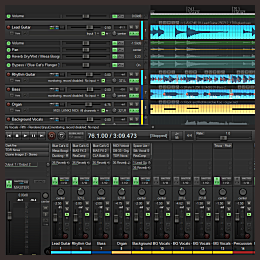
Reaper is a DAW, or Digital Audio Workstation. Think of the DAW as the recording studio inside the computer. It provides the environment in which individual tracks are recorded, edited, processed and ultimately combined into the finished recording.
Then there is MIDI (Musical Instrument Digital Interface), which is fundamentally different from recorded audio. MIDI doesn't record the actual sound of an instrument. Instead, it records performance information—what notes are played, when they begin and end, how loud they are and other instructions. Those instructions are editable and control a virtual instrument inside the computer.
My Novation keyboard is a MIDI controller. I can play something that feels like a conventional keyboard performance, but instead of recording the keyboard's sound, I'm sending MIDI information into Reaper. That information might ultimately play a piano, organ, synthesizer, string section or something entirely different.
That combination of recorded audio and MIDI is at the heart of how I build my recordings.
Performing the Instruments
The guitars are performed rather than programmed.
After considerable rehearsal, and with the Guitar Pro score serving as my guide, I record all of the guitar parts myself. Depending on the arrangement, that can include solo guitar, rhythm guitar, acoustic guitar and bass. Occasionally I'll also perform a keyboard part.
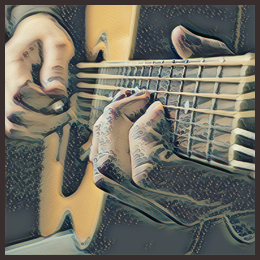
Recording isn't necessarily a matter of playing the song once from beginning to end and calling it finished. I generally record multiple takes. That gives me choices later when I'm assembling the final performance.
One common studio technique is comping, short for creating a composite performance. If one take has the best first verse and another contains a better performance of the bridge, for example, I can combine the strongest sections into a single finished track.
Digital editing also allows me to make small timing adjustments or stretch portions of recorded audio when necessary. These techniques aren't intended to replace the performance. They're tools for polishing a performance after it has been captured.
Building the Rest of the Band
Obviously, I don't have a drummer, pianist, organist and string section hiding somewhere in my house. That's where MIDI and virtual instruments come in.
Many of the remaining parts I've already created in Guitar Pro can be exported as MIDI files and imported directly into Reaper. Once there, I can edit them extensively using Reaper's MIDI editor.
Drums are a particularly important example.
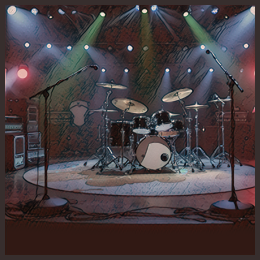
For drums and percussion, I use Toontrack’s EZdrummer 3. Simply feeding perfectly quantized MIDI notes into a drum program, however, can produce a result that sounds exactly like what it is—a computer playing drums.
So I go through a fairly exhaustive process of humanizing the drum performance. Real drummers don't hit every drum at precisely the same volume, nor does every beat land with mathematical perfection. I make adjustments to timing, velocity, accents and other elements so the resulting performance behaves more like an actual drummer playing the song.
Other instruments vary considerably from one production to another. I have a collection of virtual instruments, samplers and synthesizers that can provide piano, organ, strings and numerous other sounds. The particular combination depends entirely on what the arrangement calls for.
At this point, all of the musicians have effectively "arrived," even if most of them exist inside the computer.
Mixing: Turning Tracks into a Record
Recording all the parts doesn't produce a finished song. It produces a collection of tracks.
Mixing is the process of turning those individual tracks into a cohesive recording.
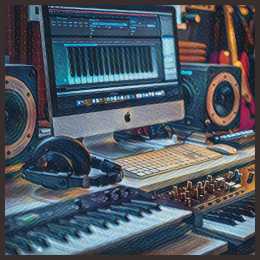
This part of music production can become extremely technical, so an exhaustive explanation is well beyond the scope of this article. Among other things, the process includes gain staging, equalization, dynamics processing, reverb, delay, stereo panning, track balancing and extensive automation of volume, effects and other parameters.
Equalization, or EQ, allows me to shape the frequency content of an instrument so that it occupies the appropriate place in the mix. Compression and other dynamics processors help control how the level of an instrument changes. Reverb and delay create a sense of space and depth. Panning determines where instruments appear between the left and right speakers.
Then all of those elements have to be balanced against one another.
And then balanced again.
And tweaked.
And listened to again.
And tweaked some more.
You’ve got to really like a song to listen to it as many times as it takes.
Preliminary Mastering
Once I'm satisfied with the mix, I perform a preliminary mastering pass.
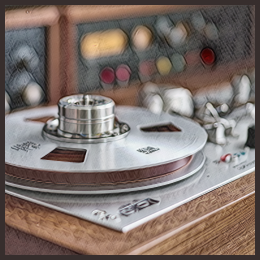
Mastering is the final processing applied to the complete stereo mix rather than to the individual instruments. My preliminary mastering chain can include saturation, equalization and compression, along with some widening of the stereo field.
Finally, I use a limiter to bring the finished recording up to an appropriate playback level. For my music, I generally target approximately -9.0 to -8.5 LUFS-I, a measurement of the perceived loudness of the complete song.
I consider this preliminary mastering because songs ultimately need to work together as an album. When an album is assembled, I'll revisit the mastering so that the tracks have consistent loudness, tonal balance and overall character from one song to the next.
Mastering can also change the way certain elements of the mix are perceived, so I'm still not quite finished. I listen through the song several more times and make any final balance adjustments that the mastering process may have exposed.
Eventually—and sometimes reluctantly—you have to stop tweaking.
Rendering the Finished Song

Once everything is complete, Reaper combines all of those individual tracks, virtual instruments, edits and effects into the final stereo recording. This process is called rendering.
Depending on where the music is going, I'll render the finished song as either a .WAV file or an .MP3. .WAV provides uncompressed, full-resolution audio, while .MP3 creates a considerably smaller compressed file that is convenient for applications where maximum audio resolution isn't necessary.
At that point, the production that began as a guitar riff, keyboard idea or existing song has finally become a finished recording.
But for me, there is often one more step.
Creating the Live Backing Track
Because I perform my instrumental music live, I also need a version that allows me to become part of the recording again.
Once the studio version is finished, I return to the mix and remove the solo guitar. I then remix the remaining instruments to create a dedicated backing track.
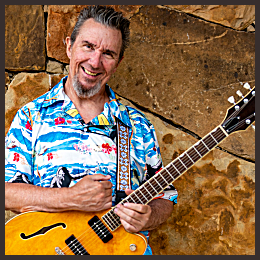
That backing track is transferred to my laptop, where I create another Reaper project specifically for live performance. Onstage, Reaper plays the backing track—the drums, bass, rhythm guitars, keyboards and other instruments—while I perform the solo guitar part live.
In a sense, the process has come full circle.
The song begins with me playing a guitar or keyboard while figuring out what the music should become. It then passes through composition, arranging, scoring, recording, editing, mixing and mastering, accumulating instruments and production along the way.
Then, when I take it onstage, I remove the lead guitar from the finished production, pick up the guitar again, and put that final part back where it started—in my hands.